
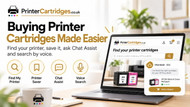
Buying Printer Cartridges Shouldn’t Be This Difficult – Here’s How We’re Making It Easier
Posted by Printer-Cartridges.co.uk on 6th Oct 2026
Smarter Printer Cartridge Shopping
Buying Printer Cartridges Shouldn’t Be This Difficult – Here’s How We’re Making It Easier
Forgotten printer models, confusing cartridge numbers and compatibility worries can make buying ink and toner harder than it needs to be. We’ve built some simple tools to make the whole process easier.
Buying printer cartridges ought to be straightforward.
You run out of ink or toner, find the replacement and carry on printing.
In reality, it often isn't quite that simple.
You might know you have an HP printer but not remember whether it's an Envy 6020, 6022 or 6032. You may have an empty cartridge in your hand covered in numbers and letters. Or perhaps you've found two cartridges that look almost identical and aren't sure which one actually fits your printer.
And once you've found the right cartridge, you may still have questions about installation, cartridge recognition, firmware or print quality.
Those are exactly the problems we've tried to address when building Printer-Cartridges.co.uk.
The idea is simple: instead of expecting you to understand printer cartridge codes, we want the website to do more of the work for you.
Problem 1: “I can never remember which printer I have”
This is probably one of the most common problems when buying printer cartridges.
You may know the brand, but remembering the complete model number months after you last bought ink is another matter.
That's why we created Printer Saver.
Once you've found your printer on Printer-Cartridges.co.uk, you can save it for later.
The next time you need cartridges, you don't need to find the model number again or repeat the whole search. Your saved printer gives you a quick route back to the products designed for that machine.
Printer Saver
Find your printer once, save it, and make future cartridge orders quicker and easier.
Why saving your printer is useful
Printer Saver isn't about saving money. It's about saving the details of your printer.
That becomes particularly useful because printer names can be surprisingly similar.
For example, two printers in the same family may look almost identical but use different cartridges. Searching from memory can therefore lead to the wrong product.
Saving the correct printer helps reduce that uncertainty.
It can be useful for:
- Your home printer.
- A home-office printer you regularly reorder toner for.
- A printer used by another member of the family.
- Office printers where cartridges are ordered repeatedly.
It means the next cartridge order can start with your printer rather than another search through model numbers.
Problem 2: “I know the cartridge number, but I don't know what fits”
Sometimes the opposite happens.
You may know that the cartridge says something like 305XL, TN-2420 or CF259X, but you aren't sure which product to choose.
This is where our search and Chat Assist can help.
You can search using the cartridge number itself, or ask Chat Assist to find it for you.
For example: ask Chat Assist for “TN2420” and it can look for matching compatible cartridges rather than expecting you to navigate through several categories first.
Chat Assist can help you find cartridges
We wanted Chat Assist to do more than simply answer basic website questions.
It can search the Printer-Cartridges.co.uk catalogue and help identify suitable products using information such as:
- Your printer model.
- A cartridge number.
- A toner code.
- The brand and model of printer you use.
If it finds a matching cartridge, you can view the product directly from the conversation.
And where available, you can even add the cartridge to your basket from Chat Assist without having to start another search.
From question to basket without hunting through the site
Imagine you've taken the empty toner out of your printer and the label says TN-2420.
Rather than working through menus, you could ask:
“Do you have a TN-2420 toner?”
Chat Assist can search the catalogue, show the relevant compatible product and give you the option to continue to the product or add it to your basket.
That's much closer to the experience of asking someone behind a counter for the cartridge you need.
Problem 3: “Will this actually fit my printer?”
Compatibility is understandably one of the biggest concerns when buying printer cartridges.
A cartridge may look right and have a familiar number, but that doesn't necessarily mean it works in every printer from that manufacturer.
Chat Assist can help check compatibility using the printer and cartridge information in our catalogue.
You can ask questions such as:
- “Does HP 305XL fit my printer?”
- “Which toner fits my Brother HL-L2400DWE?”
- “Is this cartridge compatible with my Epson XP-2200?”
If you're still unsure, our support team can help too.
The aim isn't to remove people from the process. It's to answer the straightforward questions quickly and make it easier to get human help when you need it.
Problem 4: “I've fitted the cartridge and the printer doesn't like it”
Finding the cartridge is only part of the story.
Printers can display all sorts of messages after a cartridge is installed:
- Cartridge not recognised.
- Replace toner.
- Non-original cartridge detected.
- Ink level unavailable.
- Drum warning.
- Print-quality problems.
Some are simple to resolve. Others need more investigation.
That's another reason we've built printer support information into Chat Assist.
You can ask a normal question rather than trying to work out which support page you need.
Ask printer support questions in normal language
You don't need to know the technical name for a problem.
You could ask:
- “Why won't my printer recognise the cartridge?”
- “What's the difference between toner and a drum?”
- “Why are there lines on my prints?”
- “My toner says empty even though I just replaced it.”
- “How long is the warranty?”
- “When will my order arrive?”
Chat Assist uses our printer and cartridge support information to try to give you a useful answer.
For problems that can't be resolved automatically, we can then move towards human support rather than leaving you stuck with a chatbot going around in circles.
It isn't supposed to replace customer service
This was important to us when building the feature.
There are some questions technology can answer very quickly. Finding a cartridge number or explaining a common printer message are good examples.
There are other situations where a real person needs to look at what is happening.
If you've tried the usual fixes, have an unusual compatibility issue or simply want to speak to somebody, our UK support team is still there.
Chat Assist is intended to provide another route to an answer, not put another barrier between you and support.
Problem 5: cartridge numbers aren't exactly memorable
Printer cartridge naming isn't particularly customer friendly.
Numbers such as:
- 305XL
- 604XL
- TN-2420
- CF259X
- LC-3219XL
make perfect sense once you know what you're looking for, but they aren't the sort of thing most people remember between cartridge purchases.
That's why we've tried to give customers several ways to reach the same product:
| What you know | How to find the cartridge |
|---|---|
| Your printer model | Use Find My Printer or ask Chat Assist. |
| The cartridge number | Search the number directly or ask Chat Assist. |
| You bought before | Use your saved printer to return to compatible products. |
| You're not really sure | Ask Chat Assist or contact our support team. |
You can even search by voice
If typing a long printer model or cartridge number isn't convenient, the site also supports voice-enabled search.
You can use the microphone and say the printer or cartridge you're looking for instead.
That can be particularly useful when you're standing beside the printer reading the model number straight from the machine.
The bigger idea: printer cartridges are complicated enough already. Whether you search, speak, save your printer or ask Chat Assist, the destination should be the same — the correct cartridges for your machine.
Designed around the way people actually buy cartridges
Most people don't visit a printer cartridge website because browsing ink sounds like a fun way to spend ten minutes.
Usually, the printer has run out and you simply want to get the right replacement without making an expensive mistake.
That's what these features are intended to help with.
Printer Saver remembers the printer.
Find My Printer helps identify the cartridges that fit it.
Voice Search gives you another way to find what you need.
Chat Assist can help find products, answer compatibility questions, add cartridges to the basket and provide support when something isn't working as expected.
And behind all of it is our UK support team when you need a person.
Try it with your printer
Find your printer, save it for later or ask Chat Assist to help you find the compatible ink or toner you need.
Making printer cartridges a little less complicated
There will probably never be a world in which everyone remembers their printer model and cartridge number.
And printers will probably continue producing the occasional confusing warning message.
But buying the right cartridge shouldn't require you to become a printer expert.
Our aim is to keep improving the tools around the products so that finding a cartridge, ordering it again and getting help when something goes wrong becomes as straightforward as possible.
Because ultimately, you shouldn't need to understand printer cartridges. You just need the right one for your printer.